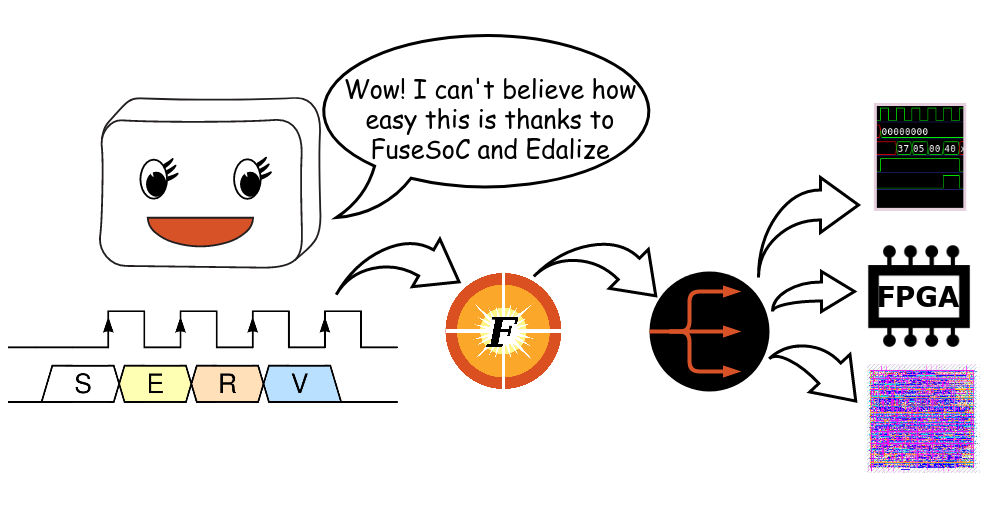
Packaging RTL IP with FuseSoC: From ALU to Published Core


If you have spent any time doing RTL development, you have probably dealt with the nightmare of managing HDL source lists manually. passing filelist arguments to simulators, maintaining shell scripts that break between machines, and having zero consistent way to share a block with someone else. FuseSoC solves this. It is a package manager and build system for HDL cores, and once you use it for a project you will not want to go back.
This post covers what an IP core is, builds a working ALU in Verilog, packages it with FuseSoC, writes a testbench, and walks through publishing it to a Git repository so others can depend on it.
What is an IP Core
IP stands for Intellectual Property. In hardware design, an IP core is a reusable block of logic with a defined interface. something you can drop into a larger design without caring how it works internally, only what it does and how to talk to it.
There are three broad categories:
Soft IP is delivered as RTL source (Verilog, VHDL, SystemVerilog). It is synthesisable and portable across target technologies. Most open-source IP is soft IP.
Firm IP is a netlist. already synthesised to gate level but not yet placed and routed. Tied to a process node but not to a specific physical layout.
Hard IP is a fully placed and routed block, sometimes called a macro. It is tied to a specific foundry and process. SRAM compilers generate hard IP. So do PHY blocks for high-speed interfaces.
Some common examples of IP cores you will encounter in real designs:
- ALU. arithmetic logic unit, computes operations on data
- AXI interconnect. bus fabric for connecting masters and slaves
- UART / SPI / I2C controllers. serial communication peripherals
- FIFOs. synchronous or asynchronous buffering
- PLL / clock dividers. clock generation and management
- CPU cores. RISC-V cores like CVA6, Ibex, or PicoRV32 are distributed as soft IP
When you package IP properly, consumers of that IP do not need to know your file paths, simulator quirks, or synthesis flags. They declare a dependency and the tooling figures out the rest. That is what FuseSoC enables.
The ALU
Before packaging anything, you need something worth packaging. Here is a 32-bit ALU with a clean interface. nothing exotic, but complete enough to be a useful standalone block.
RTL
// alu.v
// 32-bit Arithmetic Logic Unit
// Supports ADD, SUB, AND, OR, XOR, SLT, SLL, SRL, SRA, NOR

module alu #(
    parameter DATA_WIDTH = 32
)(
    input  wire [DATA_WIDTH-1:0] a,         // Operand A
    input  wire [DATA_WIDTH-1:0] b,         // Operand B
    input  wire [3:0]            op,         // Operation select
    output reg  [DATA_WIDTH-1:0] result,     // Computed result
    output wire                  zero,       // High when result == 0
    output wire                  overflow,   // Signed overflow flag
    output wire                  carry_out   // Unsigned carry/borrow
);

    // Operation encoding
    localparam OP_ADD  = 4'b0000;
    localparam OP_SUB  = 4'b0001;
    localparam OP_AND  = 4'b0010;
    localparam OP_OR   = 4'b0011;
    localparam OP_XOR  = 4'b0100;
    localparam OP_NOR  = 4'b0101;
    localparam OP_SLT  = 4'b0110;  // Signed less-than
    localparam OP_SLTU = 4'b0111;  // Unsigned less-than
    localparam OP_SLL  = 4'b1000;  // Shift left logical
    localparam OP_SRL  = 4'b1001;  // Shift right logical
    localparam OP_SRA  = 4'b1010;  // Shift right arithmetic

    // Internal signals for ADD/SUB path
    wire [DATA_WIDTH:0]   add_result;   // Extra bit captures carry
    wire [DATA_WIDTH:0]   sub_result;
    wire                  add_overflow;
    wire                  sub_overflow;

    assign add_result  = {1'b0, a} + {1'b0, b};
    assign sub_result  = {1'b0, a} - {1'b0, b};

    // Overflow detection (signed)
    // ADD overflows when two positives give negative, or two negatives give positive
    assign add_overflow = (~a[DATA_WIDTH-1] & ~b[DATA_WIDTH-1] &  add_result[DATA_WIDTH-1]) |
                          ( a[DATA_WIDTH-1] &  b[DATA_WIDTH-1] & ~add_result[DATA_WIDTH-1]);

    assign sub_overflow = (~a[DATA_WIDTH-1] &  b[DATA_WIDTH-1] &  sub_result[DATA_WIDTH-1]) |
                          ( a[DATA_WIDTH-1] & ~b[DATA_WIDTH-1] & ~sub_result[DATA_WIDTH-1]);

    // Carry/borrow output (unsigned)
    // For SUB, carry_out is the borrow. active low in the raw subtract,
    // so invert: if sub_result[DATA_WIDTH] is set, a < b (borrow occurred)
    wire active_carry;
    wire active_borrow;
    assign active_carry  = add_result[DATA_WIDTH];
    assign active_borrow = sub_result[DATA_WIDTH];

    // Expose based on op
    assign carry_out = (op == OP_SUB) ? active_borrow : active_carry;
    assign overflow  = (op == OP_SUB) ? sub_overflow  : add_overflow;
    assign zero      = (result == {DATA_WIDTH{1'b0}});

    // Main combinational block
    always @(*) begin
        case (op)
            OP_ADD:  result = add_result[DATA_WIDTH-1:0];
            OP_SUB:  result = sub_result[DATA_WIDTH-1:0];
            OP_AND:  result = a & b;
            OP_OR:   result = a | b;
            OP_XOR:  result = a ^ b;
            OP_NOR:  result = ~(a | b);
            OP_SLT:  result = {{(DATA_WIDTH-1){1'b0}},
                               ($signed(a) < $signed(b))};
            OP_SLTU: result = {{(DATA_WIDTH-1){1'b0}},
                               (a < b)};
            OP_SLL:  result = a << b[4:0];
            OP_SRL:  result = a >> b[4:0];
            OP_SRA:  result = $signed(a) >>> b[4:0];
            default: result = {DATA_WIDTH{1'b0}};
        endcase
    end

endmodule
A few things worth noting here. The add and subtract paths use an extra bit to capture carry and borrow without needing separate adder logic. Overflow is detected explicitly rather than relying on simulator behaviour. important when you eventually synthesise this and need the flag to be reliable. The shift operations pull only b[4:0] since a 32-bit value only needs 5 bits to express a shift amount of 0–31; anything wider is undefined behaviour in the spec.
Testbench
// tb_alu.v
// Self-checking testbench for the 32-bit ALU

`timescale 1ns/1ps

module tb_alu;

    // Parameters
    parameter DATA_WIDTH = 32;
    parameter CLK_PERIOD = 10;

    // DUT ports
    reg  [DATA_WIDTH-1:0] a;
    reg  [DATA_WIDTH-1:0] b;
    reg  [3:0]            op;
    wire [DATA_WIDTH-1:0] result;
    wire                  zero;
    wire                  overflow;
    wire                  carry_out;

    // Instantiate DUT
    alu #(.DATA_WIDTH(DATA_WIDTH)) dut (
        .a         (a),
        .b         (b),
        .op        (op),
        .result    (result),
        .zero      (zero),
        .overflow  (overflow),
        .carry_out (carry_out)
    );

    // Test tracking
    integer pass_count;
    integer fail_count;

    // Task: check result
    task check;
        input [DATA_WIDTH-1:0] expected_result;
        input                  expected_zero;
        input [63:0]           test_id;
        begin
            #1; // Let combinational logic settle
            if (result !== expected_result) begin
                $display("FAIL [%0d]: op=%b a=%h b=%h | got result=%h expected=%h",
                         test_id, op, a, b, result, expected_result);
                fail_count = fail_count + 1;
            end else if (zero !== expected_zero) begin
                $display("FAIL [%0d]: op=%b a=%h b=%h | got zero=%b expected=%b",
                         test_id, op, a, b, zero, expected_zero);
                fail_count = fail_count + 1;
            end else begin
                pass_count = pass_count + 1;
            end
        end
    endtask

    initial begin
        pass_count = 0;
        fail_count = 0;

        // --- ADD ---
        op = 4'b0000; a = 32'h0000_0005; b = 32'h0000_0003; check(32'h8, 1'b0, 1);
        op = 4'b0000; a = 32'h0000_0000; b = 32'h0000_0000; check(32'h0, 1'b1, 2);
        op = 4'b0000; a = 32'hFFFF_FFFF; b = 32'h0000_0001; check(32'h0, 1'b1, 3); // wrap

        // --- SUB ---
        op = 4'b0001; a = 32'h0000_000A; b = 32'h0000_0003; check(32'h7, 1'b0, 4);
        op = 4'b0001; a = 32'h0000_0005; b = 32'h0000_0005; check(32'h0, 1'b1, 5);
        op = 4'b0001; a = 32'h0000_0000; b = 32'h0000_0001; check(32'hFFFF_FFFF, 1'b0, 6); // underflow

        // --- AND ---
        op = 4'b0010; a = 32'hFF00_FF00; b = 32'h0FF0_0FF0; check(32'h0F00_0F00, 1'b0, 7);

        // --- OR ---
        op = 4'b0011; a = 32'hFF00_0000; b = 32'h00FF_0000; check(32'hFFFF_0000, 1'b0, 8);

        // --- XOR ---
        op = 4'b0100; a = 32'hAAAA_AAAA; b = 32'hAAAA_AAAA; check(32'h0, 1'b1, 9);
        op = 4'b0100; a = 32'hAAAA_AAAA; b = 32'h5555_5555; check(32'hFFFF_FFFF, 1'b0, 10);

        // --- NOR ---
        op = 4'b0101; a = 32'h0000_0000; b = 32'h0000_0000; check(32'hFFFF_FFFF, 1'b0, 11);
        op = 4'b0101; a = 32'hFFFF_FFFF; b = 32'h0000_0000; check(32'h0, 1'b1, 12);

        // --- SLT (signed) ---
        op = 4'b0110; a = 32'hFFFF_FFFF; b = 32'h0000_0001; check(32'h1, 1'b0, 13); // -1 < 1
        op = 4'b0110; a = 32'h0000_0001; b = 32'hFFFF_FFFF; check(32'h0, 1'b1, 14); //  1 > -1

        // --- SLTU (unsigned) ---
        op = 4'b0111; a = 32'h0000_0001; b = 32'hFFFF_FFFF; check(32'h1, 1'b0, 15); // 1 < 0xFFFFFFFF
        op = 4'b0111; a = 32'hFFFF_FFFF; b = 32'h0000_0001; check(32'h0, 1'b1, 16);

        // --- SLL ---
        op = 4'b1000; a = 32'h0000_0001; b = 32'h4; check(32'h0000_0010, 1'b0, 17);
        op = 4'b1000; a = 32'h0000_0001; b = 32'h1F; check(32'h8000_0000, 1'b0, 18);

        // --- SRL ---
        op = 4'b1001; a = 32'h8000_0000; b = 32'h1; check(32'h4000_0000, 1'b0, 19);
        op = 4'b1001; a = 32'hFFFF_FFFF; b = 32'h4; check(32'h0FFF_FFFF, 1'b0, 20);

        // --- SRA ---
        op = 4'b1010; a = 32'h8000_0000; b = 32'h1; check(32'hC000_0000, 1'b0, 21); // sign-extend
        op = 4'b1010; a = 32'h4000_0000; b = 32'h1; check(32'h2000_0000, 1'b0, 22);

        // Summary
        $display("----------------------------------------");
        $display("Results: %0d passed, %0d failed", pass_count, fail_count);
        $display("----------------------------------------");

        if (fail_count == 0)
            $display("ALL TESTS PASSED");
        else
            $display("FAILURES DETECTED");

        $finish;
    end

endmodule
Project Folder Structure
Before introducing FuseSoC, organise the project in a layout that makes the core file straightforward to write and the testbench easy to find.
alu_core/
├── rtl/
│   └── alu.v
├── tb/
│   └── tb_alu.v
├── doc/
│   └── alu_spec.md
└── alu_core.core
The rtl/ directory holds synthesisable RTL. The tb/ directory holds simulation-only files. The doc/ directory is optional but good practice. a brief spec explaining the operation encoding, timing, and flag semantics saves everyone time. The .core file lives at the root and is what FuseSoC reads.
Some teams add a lint/ or constraints/ directory at the top level when the core grows beyond a single file, but for a standalone ALU the above is sufficient.
FuseSoC
FuseSoC is a package manager and build system for HDL. It was created by Olof Kindgren and is now maintained under the FOSSi Foundation. It abstracts the differences between simulators (Icarus Verilog, Verilator, ModelSim, VCS, Questa) and synthesis flows (Yosys, Vivado, Quartus) behind a common interface. You describe your IP in a .core file using YAML, and FuseSoC handles constructing the correct invocation for whatever backend you have installed.
Under the hood it uses a library called Edalize to drive the actual tools. FuseSoC itself handles dependency resolution, fetching remote cores, and constructing the file set. Edalize handles generating the tool-specific project files or command lines.
Installing on Linux
Python 3.8 or later is required. pip is the simplest install path.
pip install fusesoc
If you prefer not to install system-wide, use a virtual environment:
python3 -m venv fusesoc-env
source fusesoc-env/bin/activate
pip install fusesoc
Verify the install:
fusesoc --version
You will also need a simulator. Icarus Verilog is the easiest to get running for basic simulation:
# Debian / Ubuntu
sudo apt install iverilog

# Fedora / RHEL
sudo dnf install iverilog

# Arch
sudo pacman -S iverilog
Installing on Windows
The recommended approach on Windows is WSL2 (Windows Subsystem for Linux). Install WSL2, choose Ubuntu 22.04 or later from the Microsoft Store, then follow the Linux instructions above inside the WSL shell.
If you need a native Windows install without WSL, install Python from python.org and ensure it is added to PATH during setup, then:
pip install fusesoc
Install Icarus Verilog for Windows from the official binary releases at bleyer.org/icarus. After installation, ensure iverilog.exe and vvp.exe are accessible from your PATH. You can verify with:
iverilog -V
FuseSoC itself is pure Python and runs natively on Windows. The main limitation is that some flow backends assume a Unix shell, so native Windows support for synthesis flows is more variable. For simulation with Icarus it works reliably.
The Core File
The .core file is a YAML document that describes everything FuseSoC needs to know about your IP: its name, version, dependencies, file sets, and how to invoke tools for different targets. Here is the complete core file for the ALU:
CAPI=2:

name: "::alu_core:1.0.0"
description: "32-bit ALU with ADD, SUB, AND, OR, XOR, NOR, SLT, SLTU, SLL, SRL, SRA"

filesets:
  rtl:
    files:
      - rtl/alu.v
    file_type: verilogSource

  tb:
    files:
      - tb/tb_alu.v
    file_type: verilogSource
    depend:
      - "::alu_core:1.0.0"

targets:
  default: &default
    filesets:
      - rtl

  sim:
    <<: *default
    description: "Simulate with Icarus Verilog"
    default_tool: icarus
    filesets:
      - rtl
      - tb
    toplevel: tb_alu
    tools:
      icarus:
        timescale: "1ns/1ps"

  sim_verilator:
    <<: *default
    description: "Simulate with Verilator"
    default_tool: verilator
    filesets:
      - rtl
      - tb
    toplevel: tb_alu
    tools:
      verilator:
        mode: cc
        verilator_options:
          - "--lint-only"

  lint:
    <<: *default
    description: "Run Verilator lint only"
    default_tool: verilator
    filesets:
      - rtl
    toplevel: alu
    tools:
      verilator:
        mode: lint-only
        verilator_options:
          - "--Wall"
A few things to understand about this file:
CAPI=2: at the very top is mandatory. It tells FuseSoC which core API version to use. CAPI2 is the current standard.
The name field uses a three-part format: "vendor::core_name:version". The vendor field is optional. "::alu_core:1.0.0" is valid for a local core with no vendor prefix. When publishing to a registry or Git library, adding your handle or organisation name here avoids naming conflicts: "yourhandle::alu_core:1.0.0".
filesets groups files by type and purpose. The rtl fileset contains only synthesisable files. The tb fileset contains simulation-only files. Keeping them separate means targets that do not need the testbench (like lint or a synthesis target) can omit it cleanly.
targets defines what FuseSoC can do with this core. The default target is what gets used when no target is specified and typically just declares the RTL fileset. The sim target adds the testbench, sets the simulator to Icarus, and names the top-level module.
The YAML anchor &default and alias <<: *default are standard YAML inheritance. the sim and lint targets inherit everything from default and override only what they need.
Running the Simulation
Add the current directory to FuseSoC’s library path so it can find the core file:
fusesoc library add alu_core .
This registers the local directory as a library. FuseSoC will scan it for .core files.
Now run the simulation:
fusesoc run --target sim ::alu_core:1.0.0
FuseSoC creates a build directory, generates the Icarus project, compiles the sources, and runs the simulation. Output will look roughly like:
INFO: Preparing ::alu_core:1.0.0
INFO: Setting up project
INFO: Building simulation model
INFO: Running simulation
----------------------------------------
Results: 22 passed, 0 failed
----------------------------------------
ALL TESTS PASSED
The build artefacts land in build/alu_core_1.0.0/sim-icarus/. You can inspect the generated scripts there if anything goes wrong.
To run the lint target:
fusesoc run --target lint ::alu_core:1.0.0
Publishing to Git
Once the core is working and tested, publishing it to a Git repository makes it consumable by other FuseSoC-based projects. The workflow is straightforward.
Preparing the Repository
Make sure your repository contains at minimum:
alu_core/
├── rtl/
│   └── alu.v
├── tb/
│   └── tb_alu.v
├── alu_core.core
└── README.md
A README covering the port list, operation encoding table, and a quick example instantiation will save anyone using this core a trip to the source file.
Initialise the Git repository if you have not already:
cd alu_core
git init
git add .
git commit -m "Initial release: 32-bit ALU v1.0.0"
Push to GitHub, GitLab, or any Git host:
git remote add origin https://github.com/yourhandle/alu_core.git
git push -u origin main
Tag the release. FuseSoC resolves versions against Git tags when you use the git provider in a dependency, so tagging is important:
git tag v1.0.0
git push origin v1.0.0
Consuming the Published Core
Anyone who wants to use this core in their project adds it as a library in their FuseSoC configuration. FuseSoC uses a file called fusesoc.conf (or ~/.config/fusesoc/fusesoc.conf for user-level config) to track libraries. You can add a Git library from the command line:
fusesoc library add alu_core https://github.com/yourhandle/alu_core.git
FuseSoC clones the repository into its local cache. From that point, any core file in another project can declare a dependency:
filesets:
  rtl:
    depend:
      - "::alu_core:1.0.0"
    files:
      - rtl/my_datapath.v
    file_type: verilogSource
When FuseSoC resolves that core, it finds alu_core in the library cache, pulls in its rtl fileset, and includes alu.v in the build automatically.
Submitting to the FuseSoC Standard Library (fusesoc-cores)
The FOSSi Foundation maintains a curated library of open-source cores at github.com/fusesoc/fusesoc-cores. Submitting there gets your core indexed alongside other well-known open-source blocks. The submission process is a pull request to that repository adding your core’s .core file or a reference to it. Check the contributing guide in that repo for current requirements. the main ask is a working simulation target and a reasonable test.
What to Do When the Core Grows
The setup above covers a single-file combinational block. As cores grow, a few patterns become useful.
When you have multiple RTL files, list them in dependency order within the fileset, or rely on the tool to handle it. Icarus and Verilator both do multi-file elaboration correctly as long as all files are listed. For SystemVerilog packages used as dependencies between modules, list the package file before the modules that import it.
When your core gains parameters that consumers need to set, the core file supports parameter sections that expose them as tool-agnostic overrides. This is covered in the FuseSoC CAPI2 reference documentation.
When you want to support multiple simulators and run the same tests across all of them, defining separate targets per tool (as shown with sim and sim_verilator above) and running them in CI covers that case. A GitHub Actions workflow that calls fusesoc run --target sim on each push is a reasonable starting point and keeps the simulation results reproducible outside your local machine.
Version bumps should always produce a new Git tag matching the version in the name field of the core file. Mismatches between the tag and the version string in the file cause dependency resolution failures that are frustrating to debug.
FuseSoC does not solve every problem in hardware IP management, but it removes the largest sources of friction: inconsistent file lists, simulator-specific invocations, and the complete absence of dependency resolution that characterises most RTL projects. For anything you intend to reuse or share, it is worth the ten minutes it takes to write the core file.