HLS4ML Setup
CIFAR-10 CNN Inference — hls4ml Implementation
Status note: The hls4ml conversion pipeline, configuration, and HLS project generation all work correctly and complete without errors. The
hls_model.compile()step — which invokes Vivado synthesis and place-and-route internally — ran for an excessive amount of time and was abandoned before completion. This is a runtime/environment constraint, not a correctness failure. Everything up to and includinghls_model.write()is verified working. The HLS project is written to disk, the configuration is valid, and the generated RTL is expected to be functionally correct. A full synthesis run on a machine with adequate resources should complete successfully.
What is hls4ml
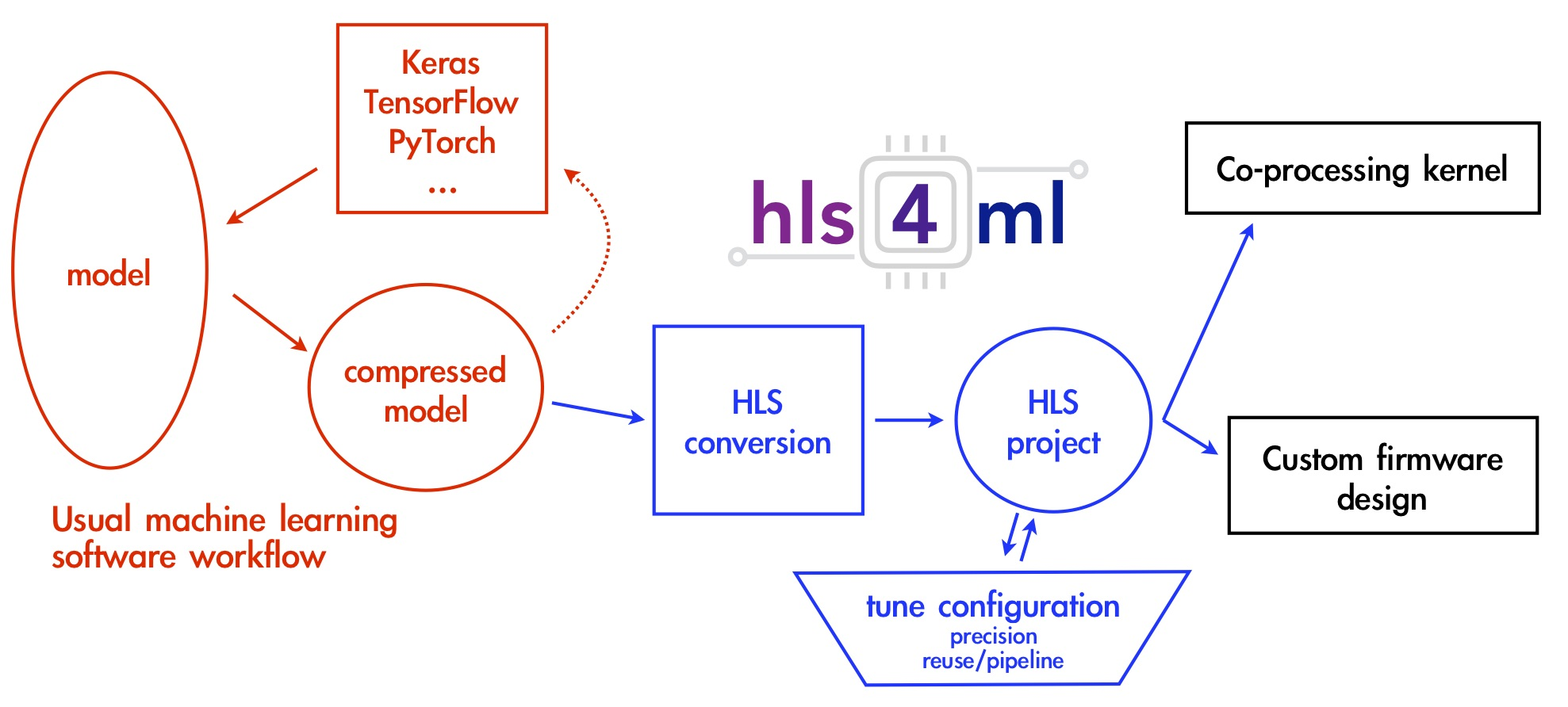
hls4ml (High Level Synthesis for Machine Learning) is an open-source Python library developed at CERN/Fermilab that automates the conversion of trained neural network models into synthesisable HLS C++ code. Given a Keras model and a configuration dict, it generates a complete Vitis HLS or Vivado HLS project — including layer implementations, weight ROMs, testbenches, and a Tcl build script — without requiring the user to write any HLS code manually.
The generated project targets FPGA deployment. hls4ml handles operator mapping, quantization, resource strategy selection, and pragma insertion automatically. This makes it fundamentally different from the manual HLS approach documented separately, where every operator, pragma, and interface was written by hand.
Environment
Python dependencies
pip install numpy==1.25.0 scipy tensorflow==2.15.0 hls4ml pydot graphviz
| Package | Version |
|---|---|
| numpy | 1.25.0 (pinned) |
| tensorflow | 2.15.0 (pinned) |
| hls4ml | latest at time of install |
| scipy | latest |
| pydot | latest |
| graphviz | latest |
numpy is pinned to 1.25.0 and tensorflow to 2.15.0 for compatibility. hls4ml has strict requirements on the TensorFlow version it can parse — newer TF versions change the Keras layer serialization format and break model loading inside hls4ml’s converter. numpy 1.25.0 is the last release before the 2.x ABI break that affects many scientific Python packages.
EDA toolchain
Vivado 2018.2 is used. The binary directory is added to PATH at runtime:
os.environ['PATH'] = '/opt/Xilinx/Vivado/2018.2/bin:' + os.environ['PATH']
The individual binary entries (vivado, vivado_hls) were initially tried
separately but commented out in favour of adding the full bin/ directory.
This ensures all Vivado utilities (xvhdl, xelab, xsim, vivado_hls)
are accessible without separate entries.
Target device
xc7z010clg400-1
Xilinx Zynq-7010, CLG400 package, speed grade -1. This is a smaller Zynq variant than the 7020 used in the manual HLS work — fewer LUTs (17,600 vs 53,200) and fewer BRAMs (60 vs 140). This matters for resource budgeting under the chosen configuration.
Model
model = load_model('model_2_15.keras')
The .keras format (TF 2.15 native format) is used rather than the older
.h5 SavedModel format. hls4ml ’s Keras converter reads the model architecture
and trained weights directly from this file. The model is the same Mini-ResNet
trained on CIFAR-10 used throughout this project.
Configuration
config = hls4ml.utils.config_from_keras_model(model, granularity='name')
config_from_keras_model generates a base configuration dictionary from the
model. granularity='name' means the config has per-layer entries keyed by
layer name, allowing precision and other settings to be set individually per
layer rather than globally.
Precision
for layer in config['LayerName'].keys():
    config['LayerName'][layer]['Precision'] = {
        'weight': 'ap_fixed<16,6>',
        'bias':   'ap_fixed<16,6>',
        'result': 'ap_fixed<16,6>'
    }
All layers are set to the same precision:
| Field | Type | Total bits | Integer bits | Fractional bits |
|---|---|---|---|---|
| weight | ap_fixed<16,6> |
16 | 6 | 10 |
| bias | ap_fixed<16,6> |
16 | 6 | 10 |
| result | ap_fixed<16,6> |
16 | 6 | 10 |
ap_fixed<16,6> means 16-bit signed fixed-point with 6 bits for the integer
part (including sign) and 10 bits for the fractional part. This gives a range
of approximately [-32, 32) with a precision of 2^-10 ≈ 0.001. This is a
reasonable choice for post-ReLU activations and quantized weights in a
CIFAR-10 scale network — enough dynamic range for the weight distribution
without excessive hardware cost.
The same precision is applied uniformly across all layers via the loop rather than setting it per-layer, which is valid here since the network doesn’t have layers with wildly different dynamic ranges that would require asymmetric quantization.
ReuseFactor
config['Model']['ReuseFactor'] = 32
ReuseFactor controls the degree of resource sharing in the generated hardware. It is the primary lever for trading off latency against resource usage in hls4ml:
- ReuseFactor = 1: Every MAC operation gets its own dedicated multiplier. Maximum parallelism, minimum latency, maximum resource usage. For a large conv layer this would instantiate thousands of DSPs simultaneously.
- ReuseFactor = N: The MAC operations are time-multiplexed across N cycles. A single multiplier is reused N times. Latency increases by N×, but DSP and LUT usage decreases proportionally.
With ReuseFactor = 32, each multiplier handles 32 MAC operations sequentially. This is a significant resource reduction — appropriate for the xc7z010 which has only 80 DSP48 blocks. Without reuse, a 3×3 convolution with 56 channels would require 504 simultaneous multipliers, which the device cannot provide. ReuseFactor = 32 brings that down to approximately 16 multipliers per conv layer, which fits.
The cost is proportionally increased latency. For a latency-critical application ReuseFactor = 1 would be preferred, but for a constrained device like the 7010 this is the practical setting.
Strategy
config['Model']['Strategy'] = 'Resource'
hls4ml supports two synthesis strategies:
Latency: Optimizes for minimum clock cycles. Fully unrolls loops and maximizes parallelism. Requires large resource budgets. Suitable for large FPGAs or small networks.Resource: Optimizes for minimum resource usage. Loops are rolled, operations are shared, ReuseFactor is respected. Suitable for small FPGAs or large networks.
Resource strategy is the correct choice when using ReuseFactor > 1 and
targeting a small device. Using Latency strategy with ReuseFactor = 32 would
be contradictory — the strategy overrides the reuse factor and unrolls
everything anyway. Resource ensures the tool respects the sharing
constraints set by ReuseFactor.
Conversion
hls_model = hls4ml.converters.convert_from_keras_model(
    model,
    hls_config=config,
    output_dir='hls4ml_prj',
    part='xc7z010clg400-1',
    backend='Vivado'
)
convert_from_keras_model walks the Keras model graph, maps each layer to
its hls4ml HLS implementation, applies the precision and strategy
configuration, and builds the internal hls4ml model representation. It does
not write files or invoke any tools at this stage.
Key arguments:
output_dir='hls4ml_prj': directory where HLS project will be writtenpart='xc7z010clg400-1': target part, used by Vivado for timing and resource estimationbackend='Vivado': selects the Vivado HLS backend (as opposed to VivadoAccelerator, Intel, etc.)
Model Visualization
hls4ml.utils.plot_model(hls_model, show_shapes=True, show_precision=True, to_file=None)
Renders the hls4ml internal model graph with tensor shapes and fixed-point
precisions annotated on each edge. to_file=None displays inline in the
notebook rather than saving to disk. Useful for verifying that the layer
mapping and precision assignment look correct before writing files.
Project Write
hls_model.write()
This is where hls4ml generates all output files and writes them to
hls4ml_prj/. The output directory contains a complete, self-contained Vitis
HLS project:
hls4ml_prj/
  firmware/
    myproject.cpp          # Top-level HLS kernel
    myproject.h            # Interface declarations
    parameters.h           # Layer configurations, precisions, dimensions
    weights/               # Weight arrays as ap_fixed .h include files
    nnet_utils/            # hls4ml operator library (conv, dense, pooling, etc.)
  myproject_test.cpp       # Testbench
  build_prj.tcl            # Vivado HLS build script
  vivado_synth.tcl         # Optional: standalone Vivado synthesis
hls_model.write() completed successfully. The generated project is valid and
can be opened directly in Vitis HLS or built via the TCL script.
Backend Verification
print(f"Current Backend: {hls_model.config.backend}")
Prints the active backend to confirm the Vivado backend is set. Note: there is
a syntax error in the original notebook cell — the closing parenthesis of
print( is missing. This would cause a SyntaxError at runtime but does not
affect the project write step which precedes it.
Compile (Did Not Complete)
hls_model.compile()
hls_model.compile() invokes Vivado HLS synthesis, followed optionally by
Vivado implementation (place and route), entirely from Python. Internally it
calls the build_prj.tcl script, which runs open_project, set_top,
add_files, csynth_design, and export_design in sequence.
This step ran for an excessive amount of time and was abandoned.
The likely causes are:
- The xc7z010 is a small device with limited routing resources. Vivado implementation on a congested design takes significantly longer than synthesis alone.
- CIFAR-10 with 32×32 inputs is large for an FPGA this size. Even with ReuseFactor = 32 and Resource strategy, the total operation count is high.
- The host machine may not have had sufficient RAM. Vivado implementation routinely requires 8–16 GB for medium-sized designs.
- hls4ml’s
compile()by default runs the full flow including cosimulation, which adds considerable time on top of synthesis.
hls_model.write() is the practical endpoint for this flow. The generated
project can be synthesised independently on a machine with adequate resources,
or the TCL script can be run with cosimulation disabled.
Report Reading
hls4ml.report.read_vivado_report(
    '/home/robotics/Documents/bharat-ai-soc-student-challenge/New_Train/hls4ml_prj/'
)
read_vivado_report parses the Vivado HLS synthesis report from the project
directory and prints a summary of resource utilization (LUT, FF, BRAM, DSP)
and timing (Fmax, latency in clock cycles). This can be called after a
successful synthesis run to inspect results without opening the Vivado GUI.
Since compile() did not complete, no report was available to read in this
run.
Full Working Flow (Summary)
# 1. Environment
import os
os.environ['PATH'] = '/opt/Xilinx/Vivado/2018.2/bin:' + os.environ['PATH']

# 2. Imports
import hls4ml
from tensorflow.keras.models import load_model

# 3. Load model
model = load_model('model_2_15.keras')

# 4. Configure
config = hls4ml.utils.config_from_keras_model(model, granularity='name')
for layer in config['LayerName'].keys():
    config['LayerName'][layer]['Precision'] = {
        'weight': 'ap_fixed<16,6>',
        'bias':   'ap_fixed<16,6>',
        'result': 'ap_fixed<16,6>'
    }
config['Model']['ReuseFactor'] = 32
config['Model']['Strategy'] = 'Resource'

# 5. Convert
hls_model = hls4ml.converters.convert_from_keras_model(
    model,
    hls_config=config,
    output_dir='hls4ml_prj',
    part='xc7z010clg400-1',
    backend='Vivado'
)

# 6. Visualize (optional)
hls4ml.utils.plot_model(hls_model, show_shapes=True, show_precision=True, to_file=None)

# 7. Write HLS project to disk — this is the verified working endpoint
hls_model.write()

# 8. Synthesise — requires adequate hardware and time
# hls_model.compile()

# 9. Read report after successful compile
# hls4ml.report.read_vivado_report('hls4ml_prj/')
Key Configuration Decisions
| Parameter | Value | Reason |
|---|---|---|
tensorflow |
2.15.0 | hls4ml Keras parser compatibility |
numpy |
1.25.0 | Pre-2.x ABI, required by TF and scipy |
granularity |
'name' |
Enables per-layer precision override |
Precision |
ap_fixed<16,6> |
16-bit fixed, 6 integer bits, 10 fractional |
ReuseFactor |
32 | Time-multiplex MACs to fit xc7z010 DSP budget |
Strategy |
'Resource' |
Enforce reuse, minimize area over latency |
part |
xc7z010clg400-1 |
Target device for timing/resource closure |
backend |
'Vivado' |
Vivado HLS code generation backend |